1. How to register
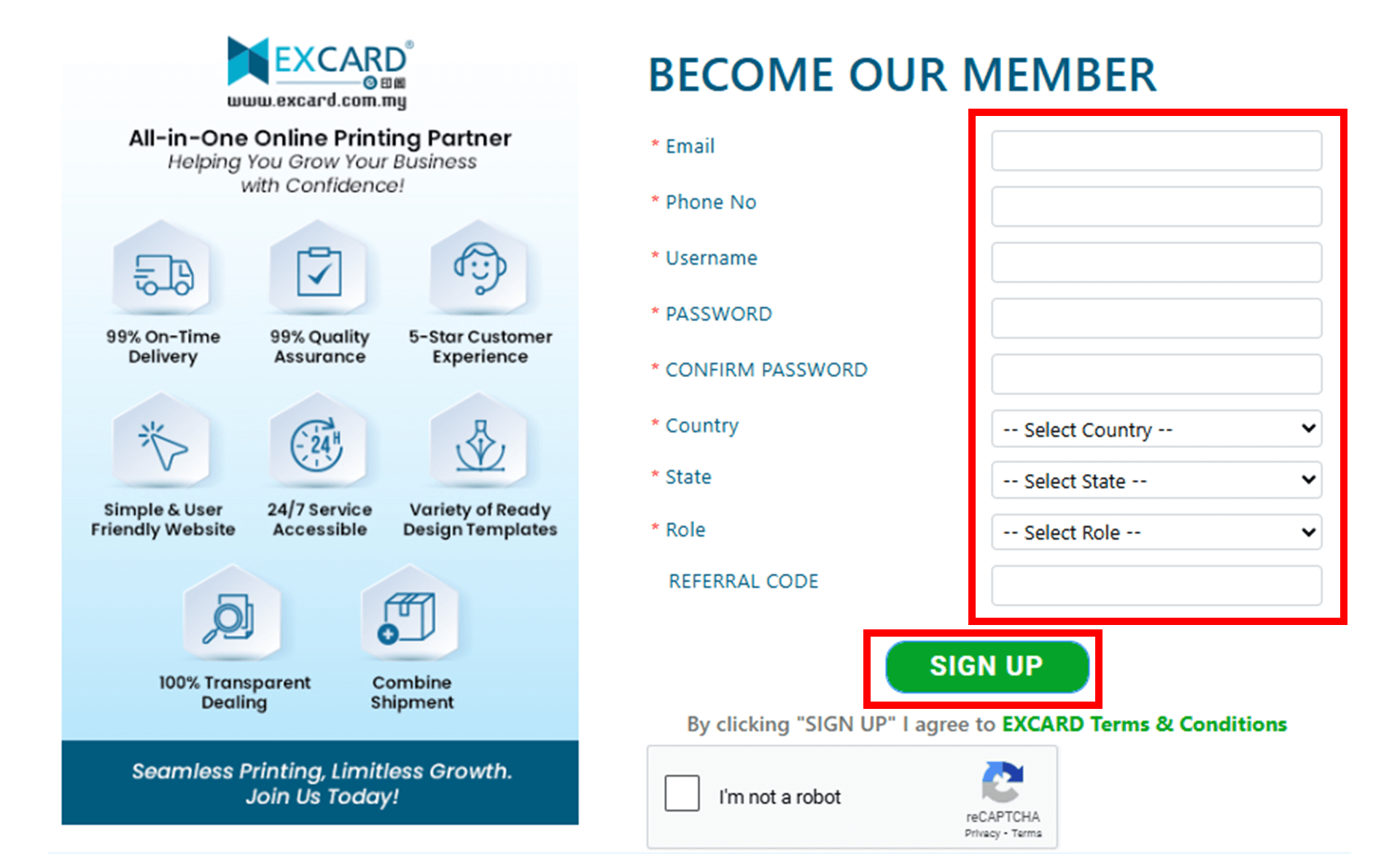
1.1 Click the 'Sign Up' button on the Excard website.

1.2 Fill in the required information and click 'Sign Up'.
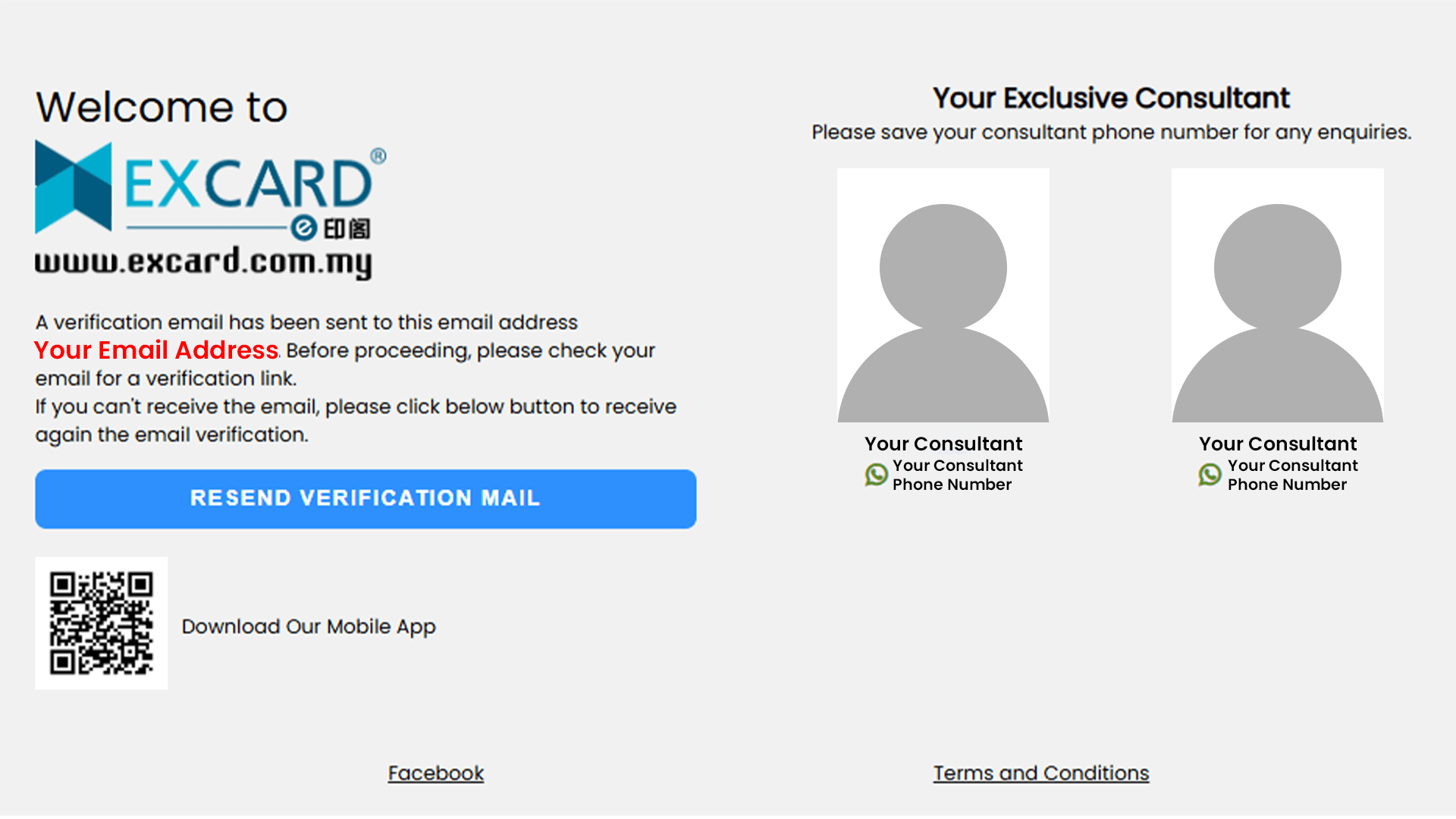
1.3 You will be redirected to a page showing your consultant’s contact number, save it for future enquiries.
1.4 You will receive a verification email. If you don’t receive it, click Resend Verification Email.
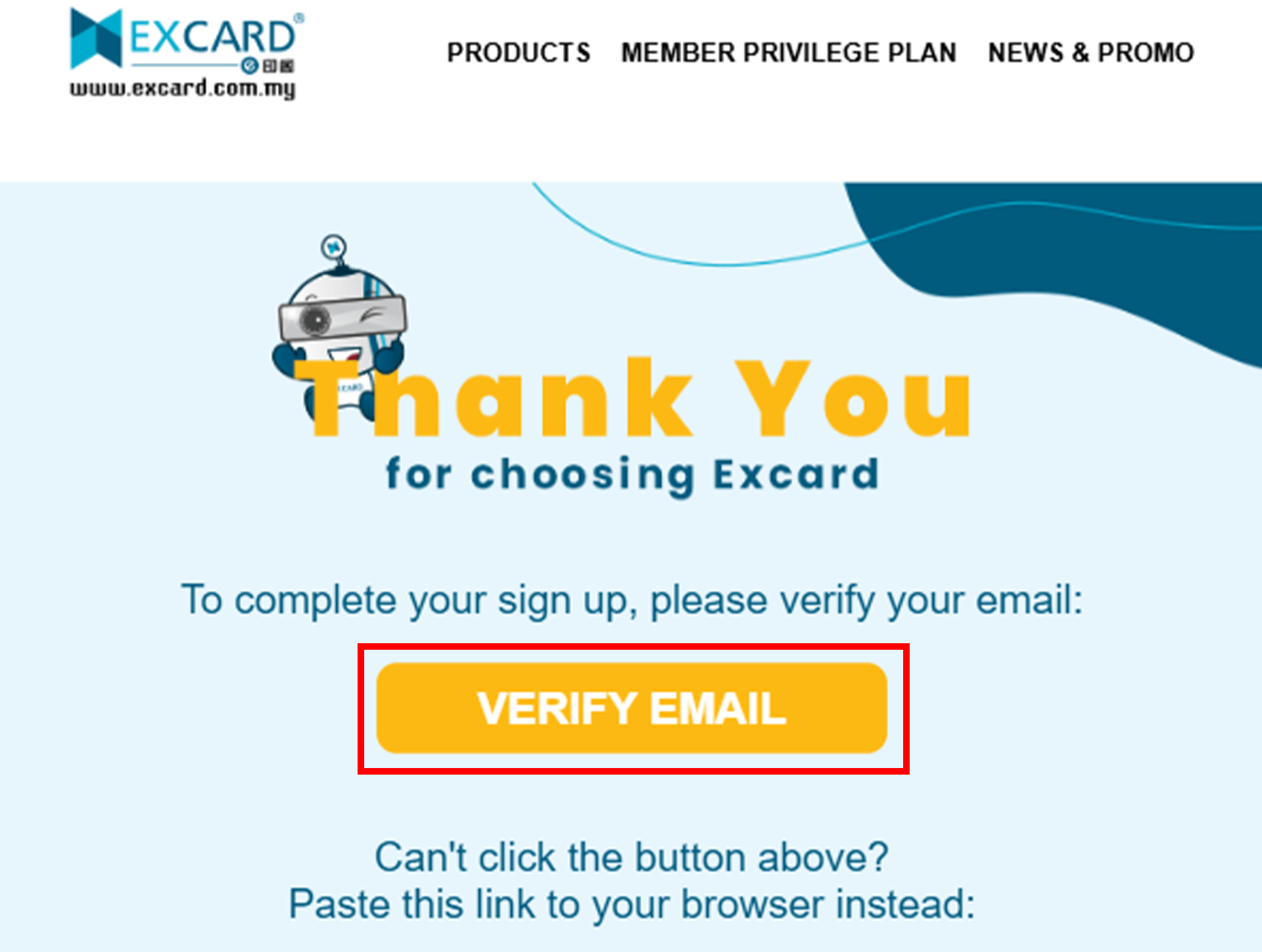
1.5 Open your email and complete the verification. You’re all set to go!
2. How to update profile
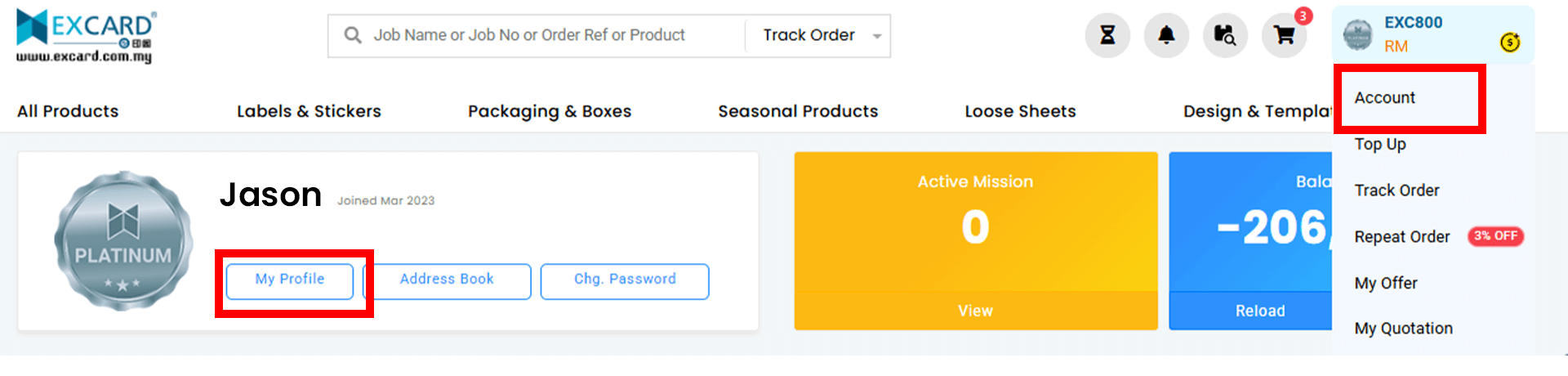
2.1 Go to the top right corner and click Account > My Profile
2.2 Fill in the required profile information. This is mandatory as Excard has implemented e-Invoicing to comply with government regulations.
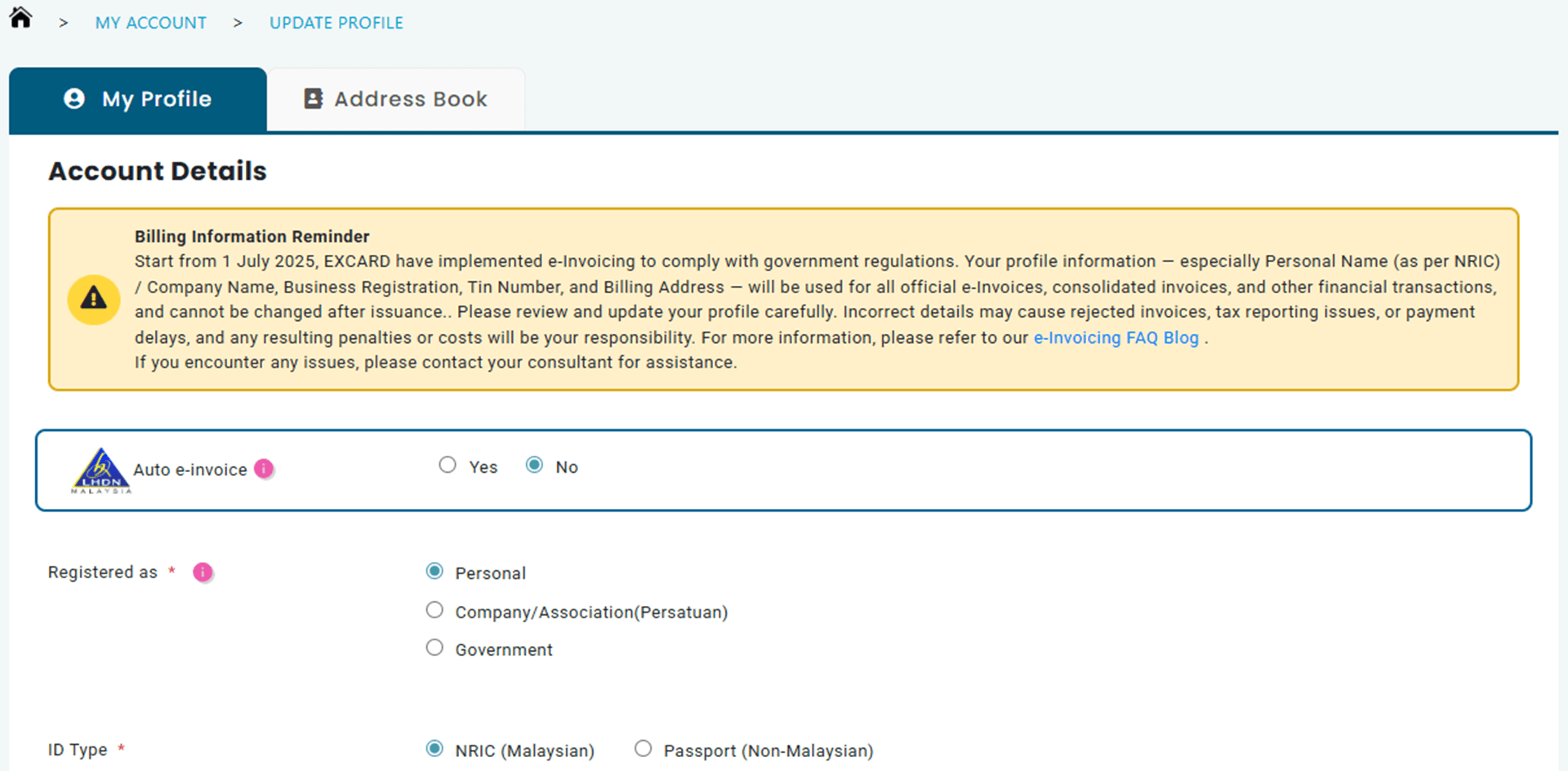
2.2 Fill in the required profile information. This is mandatory as Excard has implemented e-Invoicing to comply with government regulations.
2.3 Your profile details will be used for all official e-Invoices, consolidated invoices, and other financial transactions, and cannot be changed once an invoice is issued.
3. How to top up
3.1 Go to the top right corner and click Account > Top Up
3.2 Select your preferred payment method. Available options include FPX Online Transfer, Credit Card, JomPAY, and 0% Interest Instalment Plans.
3.3 Enter the desired top-up amount (minimum RM10) and click Proceed.
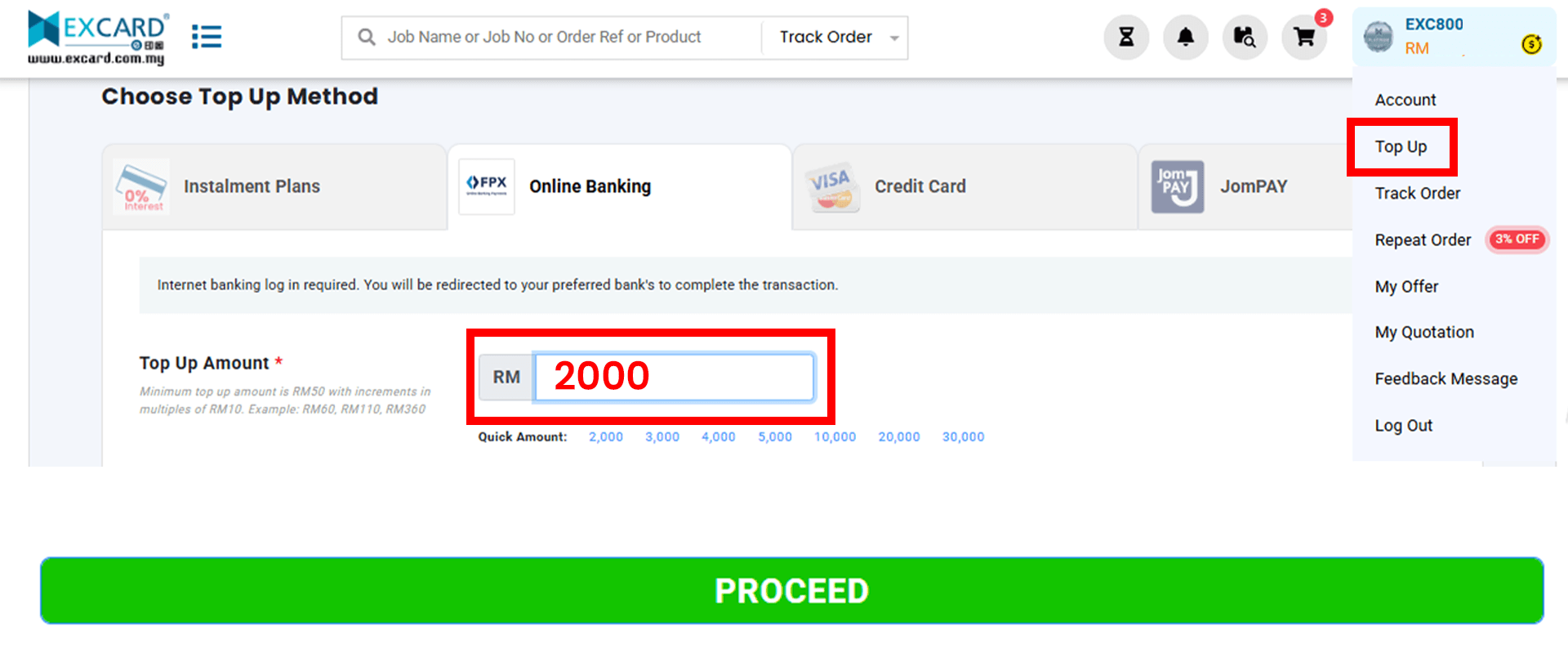
3.4 You will be redirected to the respective merchant’s payment gateway to complete the transaction securely.
3.5 Upon successful payment, the credited amount will automatically be reflected in your Excard account balance.
4. How to order
4.1 Choose Product & Get Instant Price
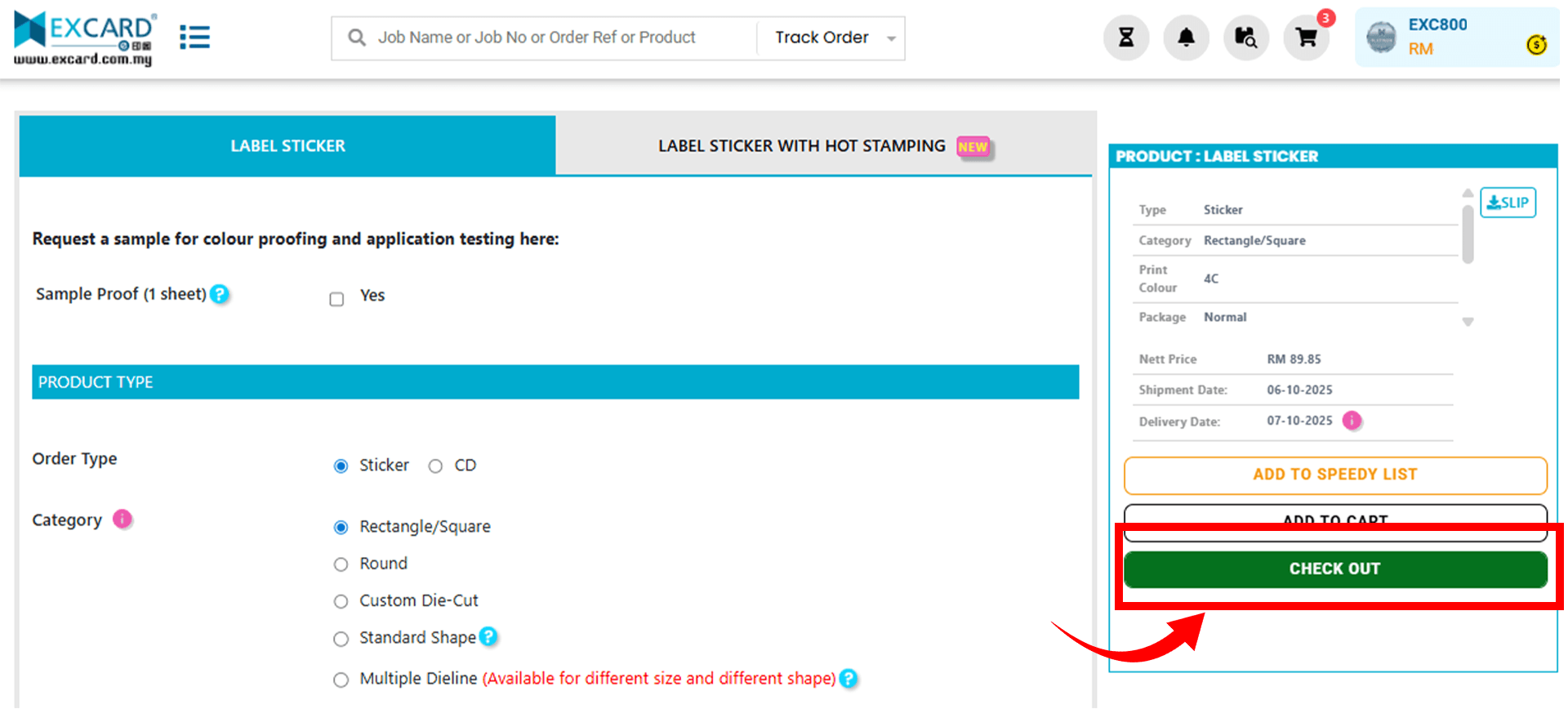
Browse our wide range of printing products, from business cards and packaging to apparel and seasonal items. Select your specifications to view instant online pricing with no hidden fees. Once confirmed, click Checkout.
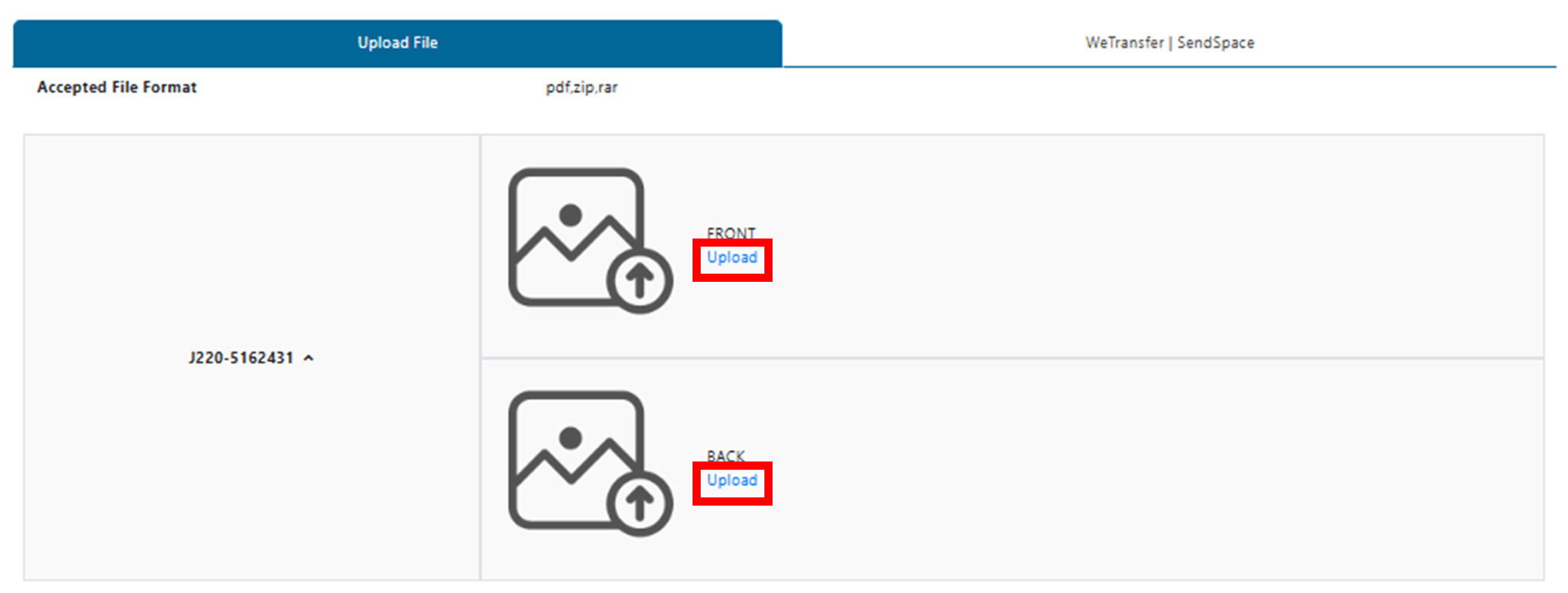
4.2 Upload Artwork
Upload your design file (PDF format) directly through our website. Alternatively, you may submit it via WeTransfer or SendSpace.
4.3 Choose Delivery Option
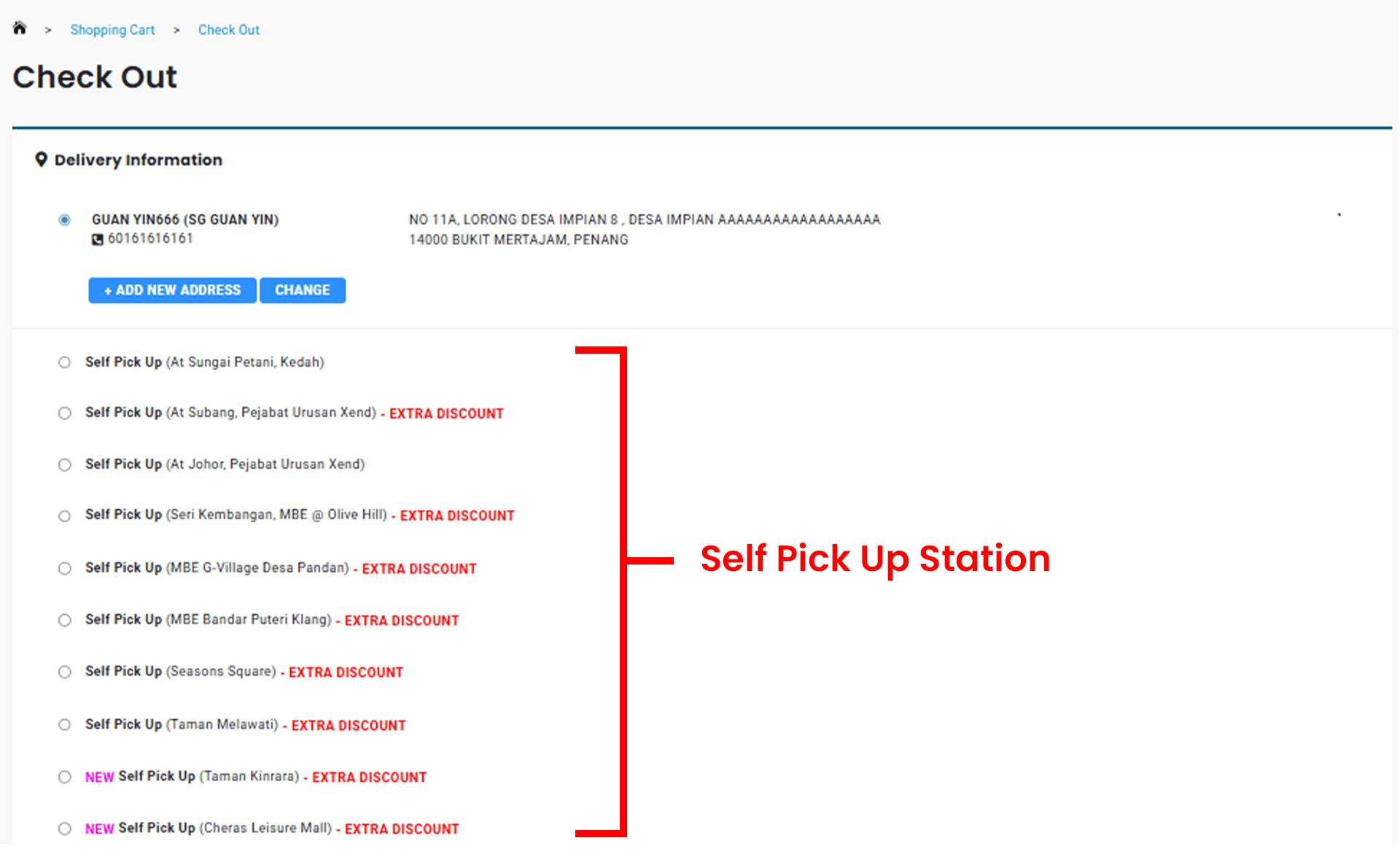
Select your preferred delivery method:
- Deliver to your default address
- Deliver directly to your customer (without Excard label, using our appointed courier)
- Collect from one of our Pick-Up Stations (Enjoy an extra 5% OFF when you pick up at Klang Valley locations)
4.4 Submit Order
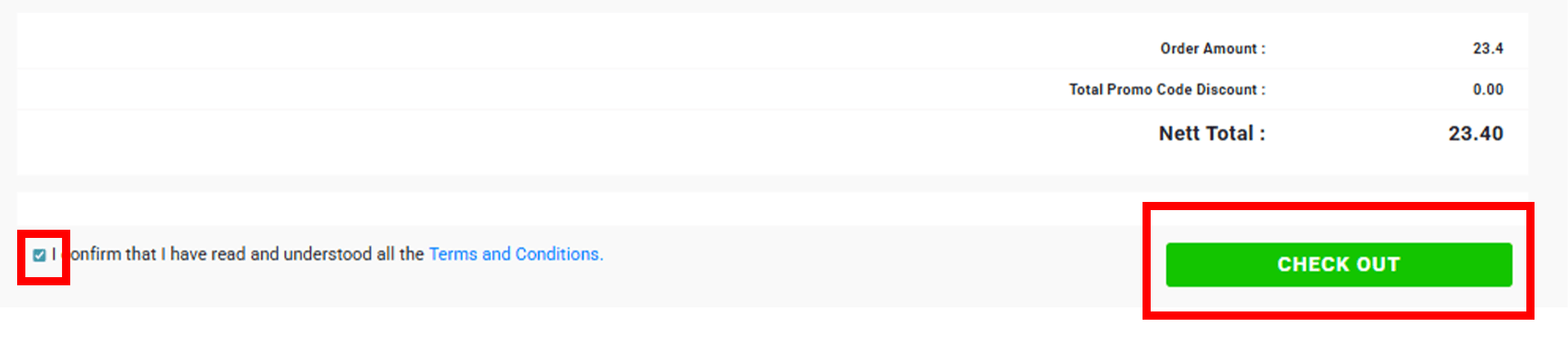
Tick the box to confirm you have read and understood all Terms & Conditions, then click Checkout.
Our Desktop Publishing Team will conduct a quick artwork check and notify you of any issues. Once approved, your order will proceed directly to production.
5. How to view or claim voucher
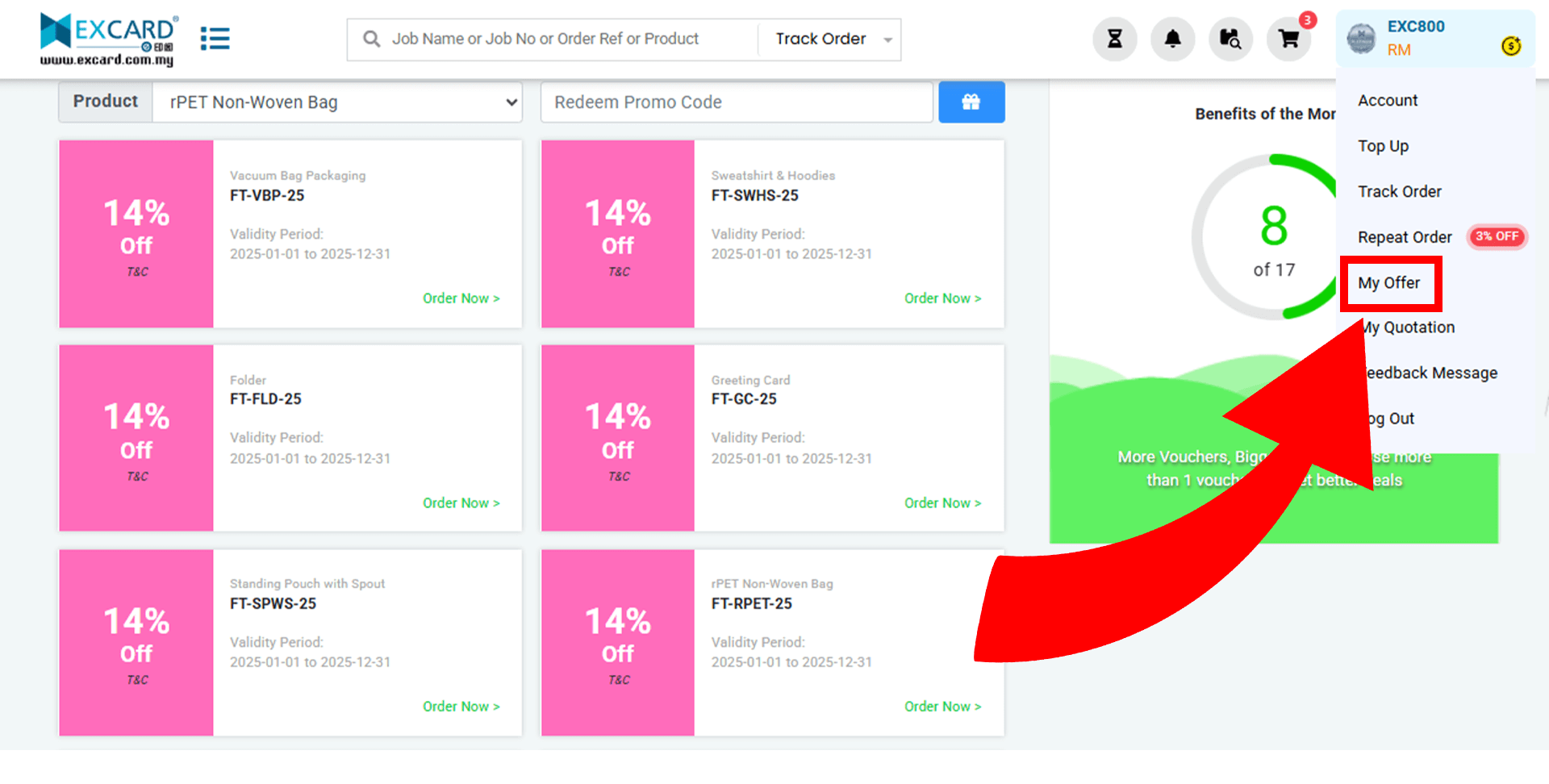
5.1 Go to the top right corner and click Account > My Offer
5.2 On this page, you can view all eligible vouchers, including details such as validity period, applicable products, and offer descriptions.
5.3 To use a voucher, click Order Now or Add to Cart.
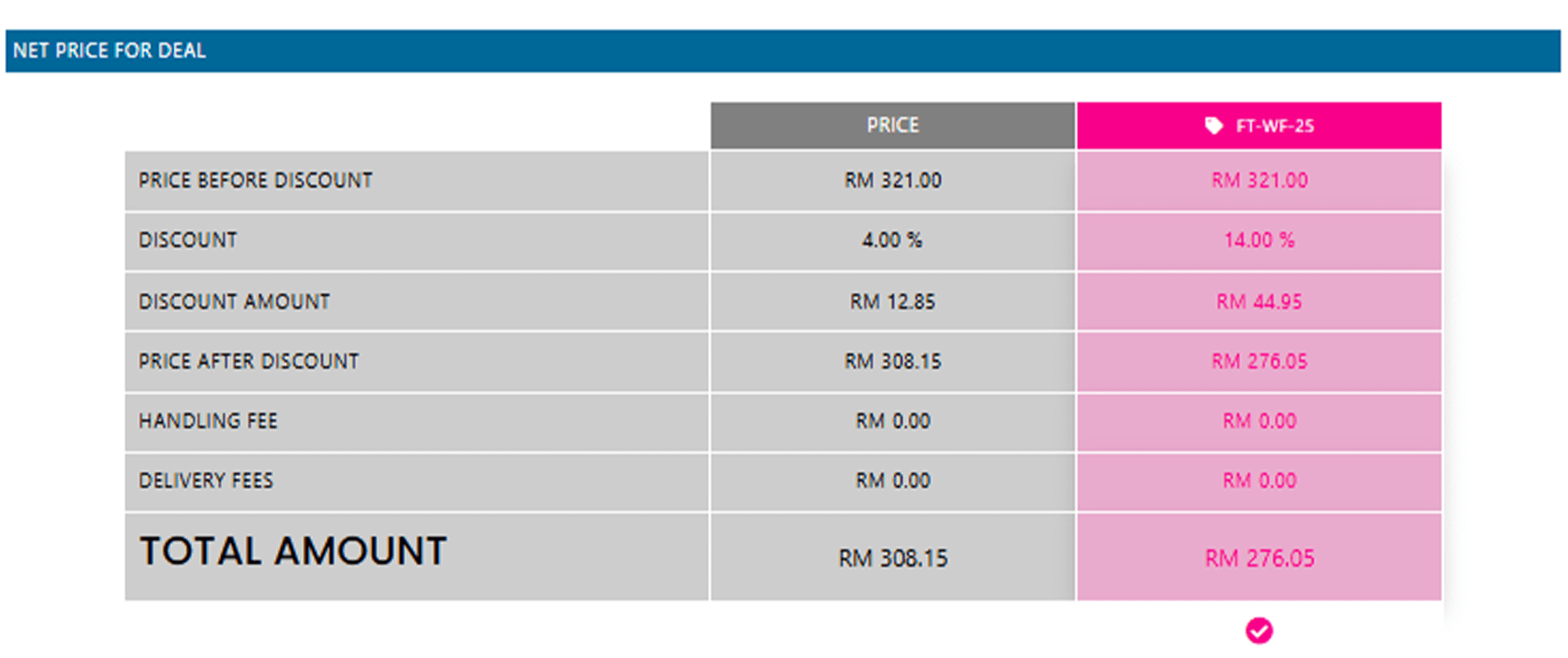
5.4 Some vouchers will also appear directly on the ordering page. If you see a pink box in the price table, it means the promotion is available.
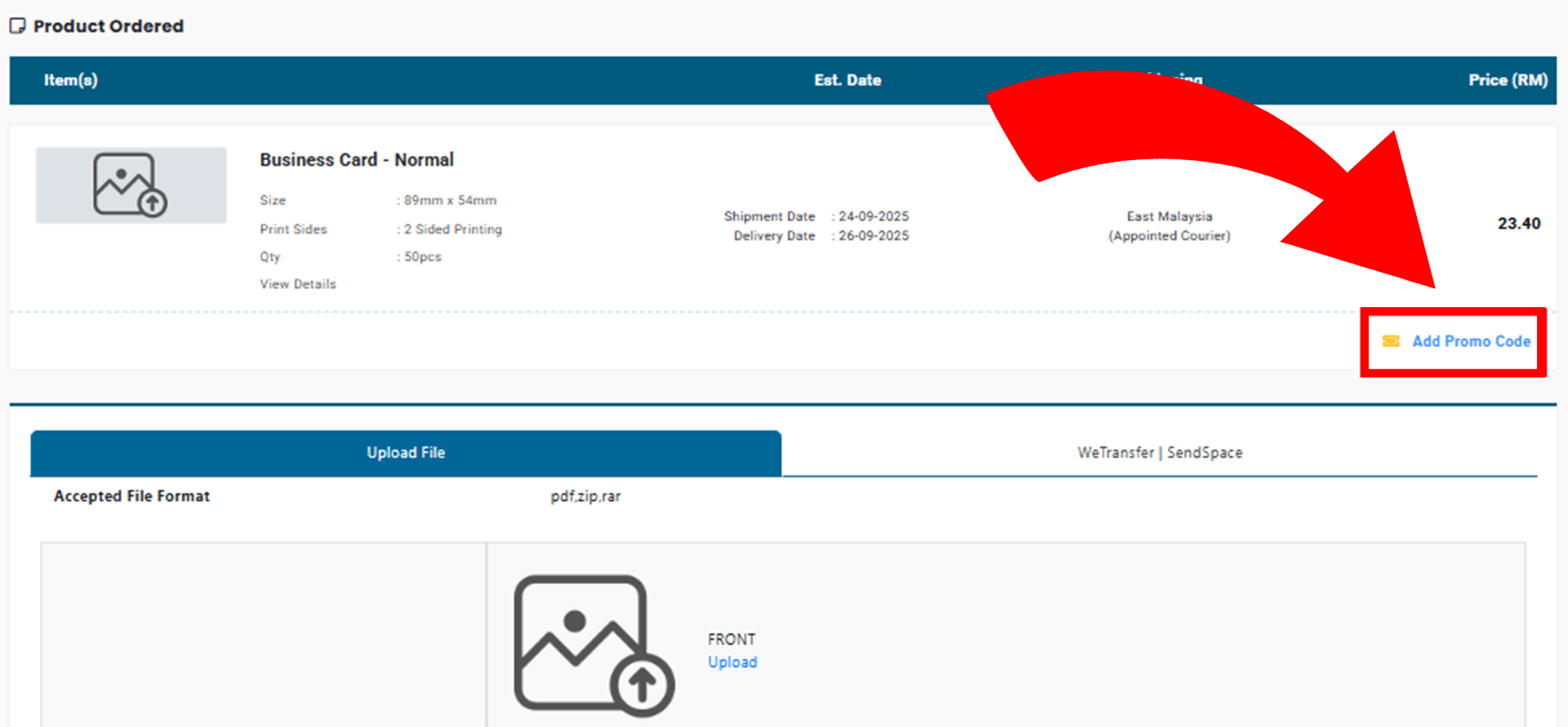
5.5 Alternatively, when uploading artwork, you may see an Add Promo Code button. Click it to check if you are entitled to an extra voucher, which can apply an additional discount on top of the ordering page price.
6. How to track order
6.1 Go to the top right corner and click Account > Track Order
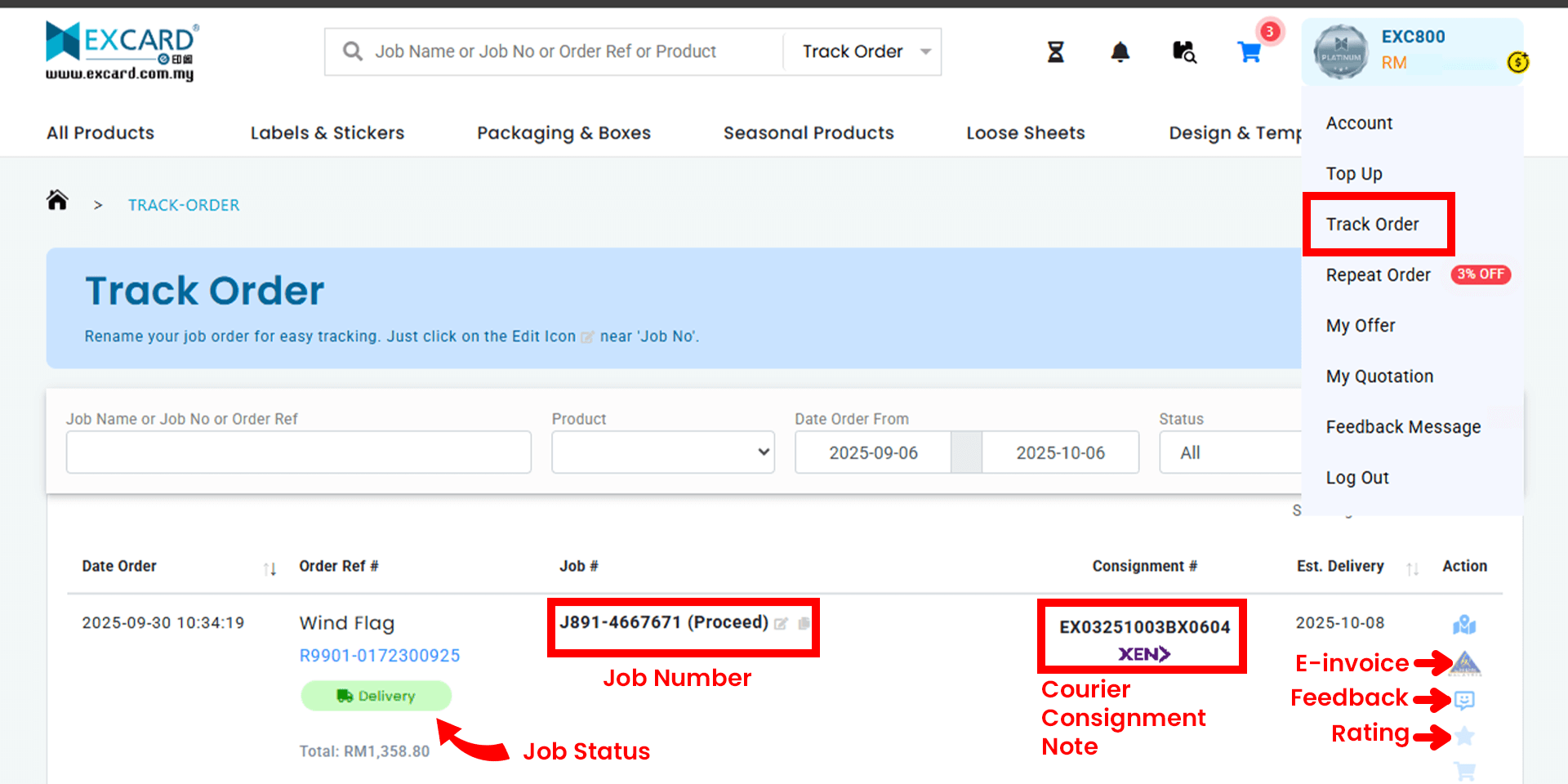
6.2 After placing an order, you can monitor its status on this page. The system will display the order date, order reference, job status, courier consignment note, and estimated delivery date.
6.3 Each job is assigned a unique job number (e.g. Money Packet, J520-XXXXXXX).
6.4 Job status updates will appear as follows:
- New – Order is queued and awaiting file check by our Desktop Publishing Team.
- Preflight – File is under review by the Desktop Publishing Team.
- Proceed – File has been approved and moved into production.
- Delivery – Item has been shipped.
6.5 A courier consignment note will be available once the order is dispatched. Click to track your delivery status.
6.6 Once your item is delivered, you can provide a rating or submit feedback if you encounter any issues.
7. How Member Privelege Plan (MPP) work
7.1 Excard’s Member Privilege Plan (MPP) is designed to give agents an exceptional and rewarding printing experience.
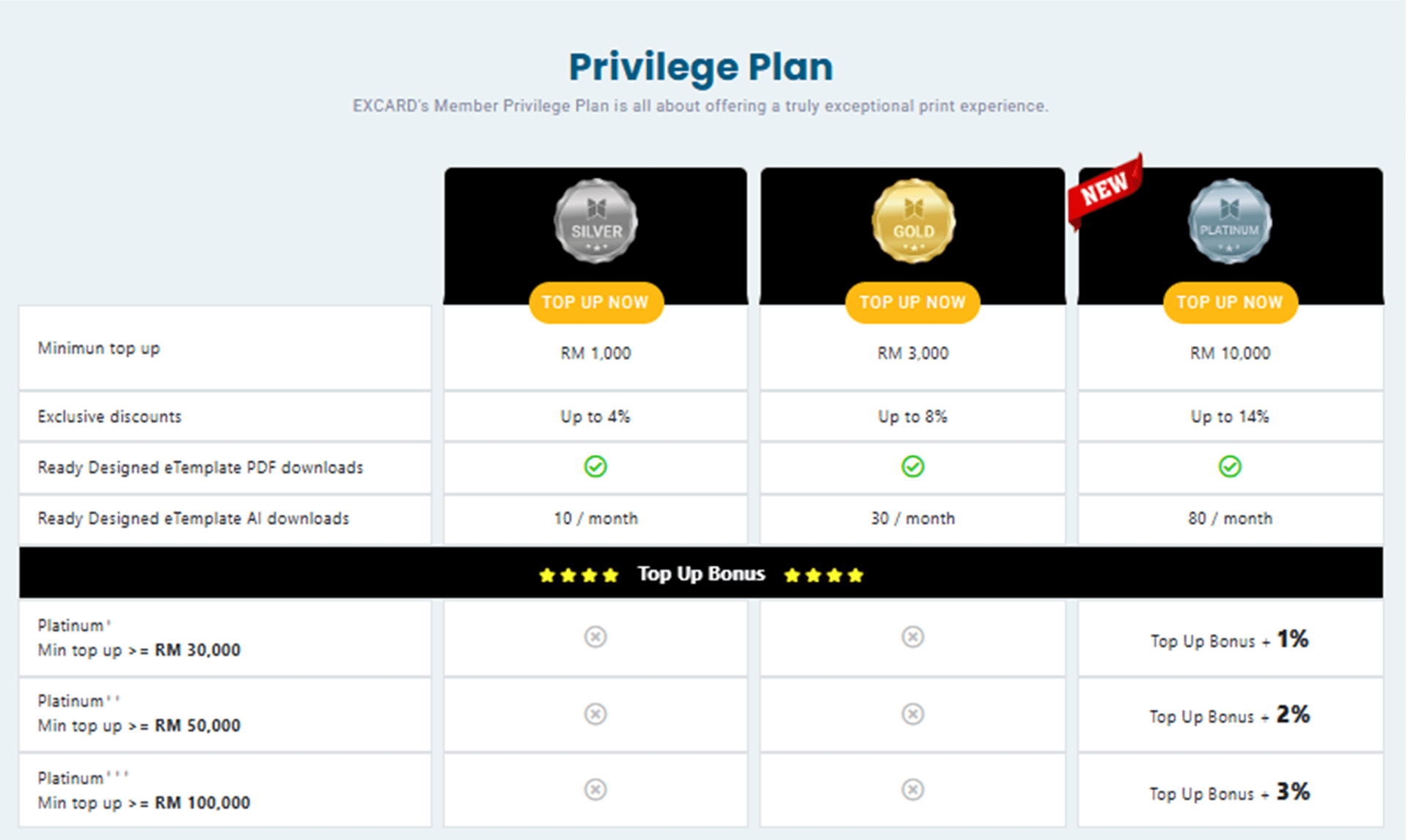
7.2 The plan comes with three tiers of membership (Silver, Gold, Platinum), offering benefits such as:
- Minimum Top-Up Requirement
- Exclusive Discounts
- Ready Design eTemplate Downloads
7.3 How It Works
(Example)
Top Up: Add RM10,000 to qualify as a Platinum Member.
Place Your Order: Buy RM300 worth of business cards in a single order and instantly enjoy 14% off.
Keep Enjoying Privileges: Continue receiving Platinum member benefits until your next top-up.
👉 See which products are eligible for discounts. Learn more
8. How referral program work
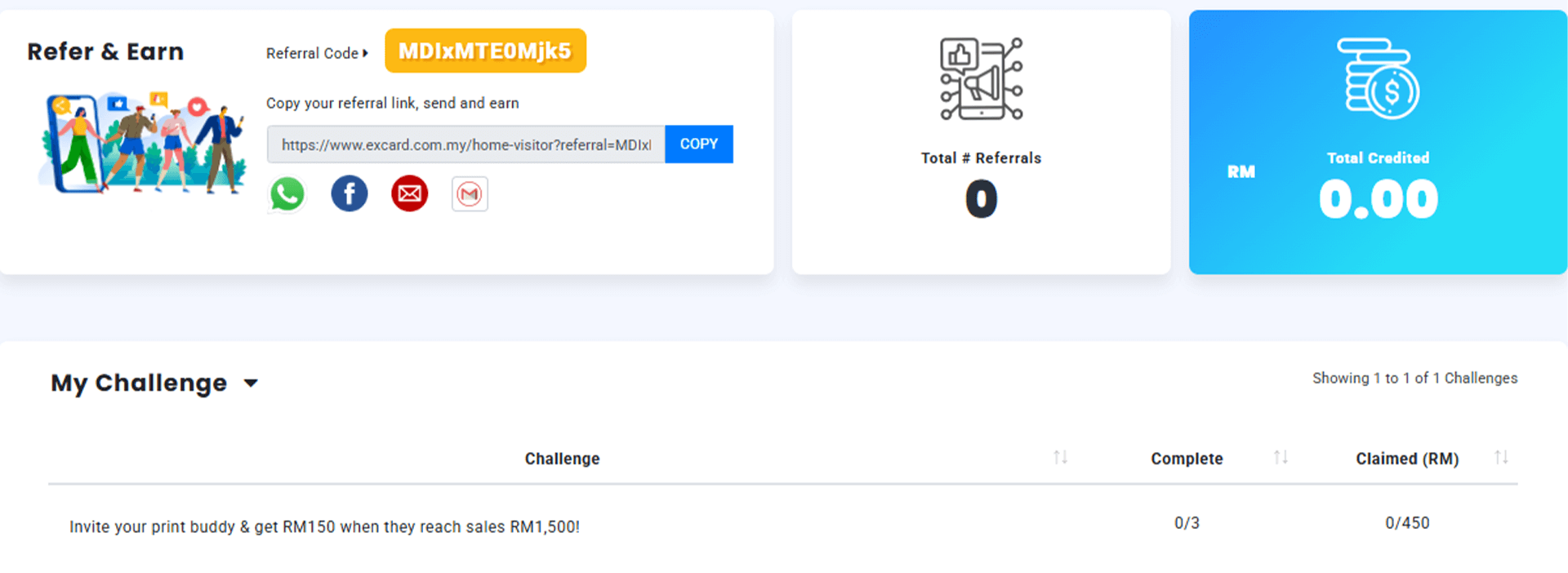
Invite friends to join Excard and earn RM150 when their spending reaches RM1,500!
How It Works?
-
Join & Get Your Referral Link
Sign up for the referral program and receive your unique code.
-
Share Your Link
Promote your code anywhere! WhatsApp, social media, email, or word of mouth.
-
Earn as They Spend
When your referrals accumulate RM1,500 in spending, you’ll receive RM150 cash reward.
Each agent starts with 3 referral quotas.
Want more? Simply apply with us to unlock extra quotas.
Refer your print buddies and start earning cash rewards! Join Now